
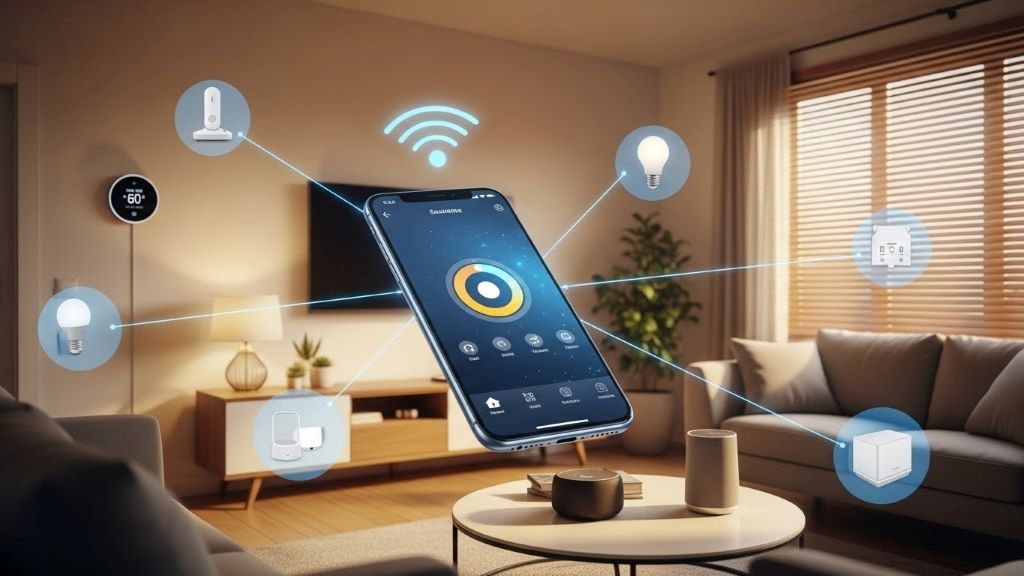
How Smart Home Technology Works Without Central Hub
Smart home technology has transformed how we live. However, many people assume they need a central hub to control their devices. This is not always true. Modern smart home devices can work independently without requiring a central control system.
Understanding how these systems operate helps homeowners make better decisions. Additionally, it saves money and simplifies installation. This article explores the various ways smart home technology functions without a central hub.
What Is a Central Hub in Smart Home Systems
A central hub acts as a command center for smart devices. It connects different products and allows them to communicate with each other. Traditional smart home setups often rely on these hubs to coordinate actions.
However, hubs add complexity to your system. They require additional setup, maintenance, and sometimes monthly fees. Therefore, many manufacturers now design devices that work independently.
Direct Wi-Fi Connected Devices
Most modern smart home devices connect directly to your home Wi-Fi network. This eliminates the need for a separate hub. Your smartphone or tablet becomes the control interface instead.
Wi-Fi enabled devices include smart lights, thermostats, cameras, and door locks. These products communicate with their manufacturer’s cloud servers. Consequently, you can control them from anywhere with internet access.
The advantage of Wi-Fi devices is their simplicity. You download an app, connect the device to your network, and start using it immediately. Moreover, these devices receive automatic firmware updates to improve functionality.
Bluetooth-Enabled Smart Home Products
Bluetooth technology offers another hub-free option for smart homes. These devices connect directly to your smartphone or tablet. The connection works within a limited range, typically around 30 feet.
Bluetooth smart locks, speakers, and light bulbs are popular choices. They offer quick pairing and straightforward operation. However, you must be within range to control them.
Some Bluetooth devices also support mesh networking. This allows multiple devices to extend the connection range. Therefore, you can control devices throughout your home without a central hub.
Cloud-Based Control Systems
Many smart home manufacturers use cloud-based platforms for device management. These systems store your settings and preferences online. Your devices connect to the cloud through your internet connection.
Cloud platforms enable remote access and control. You can adjust your thermostat while at work or check security cameras on vacation. Additionally, cloud systems often include voice control integration with Amazon Alexa or Google Assistant.
The main requirement is a stable internet connection. Without it, some features may not work. Nevertheless, many devices retain basic local functionality during outages.
Standalone Smart Home Ecosystems
Several companies offer complete smart home ecosystems without requiring separate hubs. These systems integrate multiple device types under one brand. Everything works together seamlessly through a single app.
Google Nest products exemplify this approach. Their thermostats, cameras, doorbells, and speakers all connect to your Wi-Fi network. They communicate through Google’s cloud platform without needing additional hardware.
Similarly, many smart lighting systems now operate hub-free. According to CNET, numerous Wi-Fi enabled smart bulbs eliminate the need for bridges or hubs while maintaining full functionality.

Peer-to-Peer Device Communication
Some smart home devices communicate directly with each other. This peer-to-peer technology creates a decentralized network. Devices share information without routing through a central point.
Thread and Matter protocols enable this communication method. These standards allow devices from different manufacturers to work together. Consequently, you can build a diverse smart home without compatibility concerns.
Peer-to-peer systems offer increased reliability. If one device fails, others continue operating normally. Furthermore, response times are often faster because commands don’t travel through external servers.
Voice Assistant Integration
Voice assistants like Amazon Alexa and Google Assistant serve as virtual hubs. They coordinate smart home devices through voice commands. However, they don’t require physical hub hardware.
Your smart speaker connects to the internet and communicates with your devices. You can control lights, thermostats, locks, and entertainment systems with simple voice commands. Additionally, voice assistants create routines that automate multiple actions.
This approach centralizes control without physical infrastructure. Your existing Wi-Fi network handles all communication. Therefore, you save space and reduce equipment costs.
Mobile Apps as Control Centers
Smartphone applications replace traditional hub hardware in modern setups. Each manufacturer provides an app for their products. These apps offer comprehensive control over device settings and features.
Many apps support widget functionality for quick access. You can adjust settings directly from your phone’s home screen. Moreover, apps often include scheduling features and automation rules.
The disadvantage is managing multiple apps for different brands. However, this trade-off eliminates hub costs and simplifies initial setup. Furthermore, most people already carry their smartphones everywhere.
Local Network Communication
Some devices communicate through your local network without internet access. They use protocols like UPnP or local APIs. This enables basic functionality even during internet outages.
Local communication reduces latency significantly. Commands execute almost instantly because data doesn’t travel to remote servers. Additionally, this approach enhances privacy by keeping information within your home network.
Smart switches and sensors often employ local communication. They respond to triggers without cloud involvement. Therefore, essential functions remain operational regardless of internet status.
Benefits of Hub-Free Smart Homes
Eliminating central hubs offers several advantages. First, you reduce upfront costs by avoiding expensive hub hardware. Second, setup becomes simpler with fewer components to configure.
Hub-free systems also decrease points of failure. If a hub malfunctions, all connected devices become inaccessible. However, independent devices continue working even if one fails. Additionally, you avoid hub compatibility limitations when adding new devices.
Energy consumption decreases without always-on hub hardware. This saves money on electricity bills over time. Moreover, you have fewer devices cluttering your living space.
Potential Drawbacks to Consider
Hub-free smart homes have some limitations. Device compatibility between different brands may be restricted. You might need separate apps for each manufacturer’s products.
Internet dependency increases with cloud-based devices. If your connection drops, remote access becomes impossible. However, many devices maintain local functionality during outages.
Security considerations are important with internet-connected devices. Each device represents a potential network entry point. Therefore, strong passwords and regular updates are essential. According to The New York Times, proper security practices are crucial for protecting hub-free smart home systems.
Getting Started Without a Hub
Begin by choosing devices that match your needs. Research which products work independently through Wi-Fi or Bluetooth. Read reviews to understand setup processes and reliability.
Start small with one or two devices. Test their performance before expanding your system. Additionally, ensure your Wi-Fi network provides adequate coverage throughout your home.
Consider devices that support emerging standards like Matter. This ensures future compatibility as your smart home grows. Furthermore, prioritize brands with strong customer support and regular updates.
Conclusion
Smart home technology without central hubs offers a practical, cost-effective solution for modern living. Direct Wi-Fi connections, Bluetooth pairing, and cloud platforms enable seamless device operation. These systems provide flexibility, reduce costs, and simplify installation.
While hub-free setups have some limitations, the benefits often outweigh the drawbacks. You gain independence from proprietary ecosystems and reduce equipment complexity. Moreover, modern standards ensure increasing compatibility between devices.
Starting your hub-free smart home is easier than ever. With careful planning and the right device selection, you can create an automated home that meets your needs without the expense and complexity of traditional hub-based systems.
Frequently Asked Questions
Can smart home devices work without internet?
Some devices maintain basic functionality without internet, particularly those using local network communication or Bluetooth. However, remote access, voice control, and cloud-based features require an active internet connection. Check individual product specifications for offline capabilities.
Are hub-free smart homes less secure than hub-based systems?
Security depends on implementation rather than hub presence. Hub-free devices connecting directly to the internet require proper security measures like strong passwords and regular updates. Both system types can be equally secure when properly configured and maintained.
Do I need different apps for each smart home device brand?
Typically yes, though voice assistants can consolidate control across brands. Some platforms like Google Home or Amazon Alexa integrate multiple device types into one interface. Alternatively, emerging standards like Matter aim to improve cross-brand compatibility.
Will hub-free devices work during power outages?
Most smart home devices require power to function. Battery-operated devices like smart locks continue working during outages. However, Wi-Fi dependent features become unavailable if your router loses power unless you have backup power systems.
Can I mix hub-free devices with hub-based systems?
Yes, you can combine both approaches in one home. Many people use hub-free devices for some functions while maintaining hub-based systems for others. This flexibility allows you to choose the best solution for each specific need.
Related Topics:
Discord RTC connecting error solutions
Building Your Brand and Engaging Customers Using Advanced Internet Technologies
Sorry, the comment form is closed at this time.