

How to Build a Home Studio Around the Right Pair of Headphones
Here’s a mistake that costs home producers thousands: They buy the interface first. Then the microphone. Then the DAW. Then the plugins. And somewhere around month six, they realize their mixes sound terrible on every system except their own—because they’ve been monitoring through $30 gaming headphones the entire time. Every decision they made was based on flawed information.
Your headphones are the lens through which you hear everything. A muddy lens produces muddy results no matter how expensive the camera behind it. Cheap, colored headphones flatter your mixes in the room and embarrass them everywhere else. You boost what doesn’t need boosting, cut what should be left alone, and wonder why your tracks sound amateur on Spotify.
The smarter approach: Build your home studio around your monitoring first — specifically, around the right pair of home studio headphones. When your listening reference is accurate, every other purchase and decision flows correctly. This guide shows you how to choose those headphones, what to buy around them, and how to build a studio that produces professional-quality sound without a professional-sized budget.
Why Should Headphones Be the Foundation of a Home Studio?
In professional studios, monitor speakers in acoustically treated rooms are the primary reference. But home studios face a reality that changes everything:
Room acoustics are terrible in homes. Bedrooms, spare rooms, and closet studios have untreated parallel walls that create standing waves, flutter echoes, and bass buildup. Even $2,000 studio monitors produce inaccurate sound in an untreated 10×12 bedroom — you’re hearing the room as much as the speakers.
Headphones bypass room acoustics entirely. The sound travels directly from driver to ear with zero room interaction. No standing waves. No reflections. No bass corners. What the driver produces is exactly what you hear. This makes quality home studio headphones the most accurate monitoring tool available in untreated spaces.
Neighbors exist. Home studios don’t have the luxury of loud monitoring at 2 AM. Headphones let you work at any hour without disturbing anyone — maintaining creative momentum regardless of time.
Cost efficiency: A $300 pair of reference headphones delivers more accurate monitoring than $1,000 speakers in an untreated room. The acoustic treatment to make speakers perform correctly in a bedroom costs $500-2,000+. Headphones give you professional-grade accuracy from day one at a fraction of the total system cost.
What Makes Home Studio Headphones Different from Consumer Headphones?
Consumer headphones are designed to make music sound exciting. Studio headphones are designed to make music sound true. The difference matters enormously for production:
Flat frequency response: Studio headphones aim for neutral reproduction — no boosted bass, no hyped treble, no scooped mids. You hear what’s actually in the recording, not a flattering interpretation. This neutrality reveals problems (and confirms quality) that colored headphones hide.
Wider frequency extension: Professional home studio headphones reproduce deeper bass (below 30 Hz) and higher treble (above 20 kHz) than most consumer models. This extended range lets you hear sub-bass content and air/brilliance that affects the final mix, even if listeners can’t consciously perceive those extremes.
Transient accuracy: Studio headphones reproduce the attack and decay of sounds precisely. A snare drum sounds like a snare drum — not a rounded, softened version. This precision is critical for making mix decisions about compression, EQ, and spatial placement.
Imaging and separation: Good studio monitoring equipment presents each element of a mix in its own distinct space. You can “see” where instruments sit in the stereo field, identify masking between frequencies, and judge reverb tails accurately. Consumer headphones blur these details for a more immersive but less analytical experience.
Build for extended sessions: Producers wear headphones 4-8 hours daily. Studio models prioritize comfort during marathon sessions with lighter clamping force, breathable materials, and replaceable parts (pads, cables) that consumer models treat as disposable.
What Types of Studio Headphones Exist and When Do You Need Each?
There are three fundamental designs, each serving different studio functions:
Closed-Back (Tracking/Recording)
Sealed ear cups that prevent sound leakage in both directions. The click track and backing track in your headphones won’t bleed into the microphone during recording. Best for: vocal recording, instrument tracking, podcasting, and any situation where a live microphone is present.
Trade-off: Slightly less natural soundstage than open-backs. Bass can feel slightly emphasized due to the sealed chamber effect.
Open-Back (Mixing/Mastering)
Perforated or mesh ear cups that allow air (and sound) to pass freely. This creates a wider, more natural soundstage that better approximates speaker listening. Best for: mixing, mastering, critical listening, sound design, and long editing sessions where isolation isn’t needed.
Trade-off: Sound leaks out (not usable near open microphones) and ambient noise leaks in (not ideal for loud environments).
Semi-Open (All-Purpose)
Partially sealed cups that offer a compromise — some isolation with a more spacious sound than fully closed designs. Best for: producers who need one pair for everything and can’t justify both closed and open-back models.
Trade-off: Jack of all trades, master of none. Doesn’t isolate quite enough for tracking or sound quite natural enough for critical mixing.
| Type | Best Use | Soundstage | Isolation | Comfort (Long Sessions) | Popular Models |
|---|---|---|---|---|---|
| Closed-Back | Recording, tracking, podcasting | Narrow-Medium | Excellent | Good (can get warm) | Audio-Technica ATH-M50x, Beyerdynamic DT 770 |
| Open-Back | Mixing, mastering, editing | Wide, natural | None | Excellent (breathable) | Sennheiser HD 600, Beyerdynamic DT 990, AKG K712 |
| Semi-Open | General production, all-purpose | Medium | Moderate | Very Good | AKG K240, Beyerdynamic DT 880 |
How Do You Choose the Right Home Studio Headphones for Your Workflow?
Your primary activity determines which headphone type should be your first (or only) purchase:
If you primarily record vocals/instruments: Closed-back is mandatory. Sound leakage into microphones is unacceptable for professional results. Get closed-backs first. Add open-backs later for mixing if budget allows.
If you primarily mix/master (working with already-recorded material): Open-back delivers the most accurate spatial information for mixing decisions. Since no microphone is live during mixing, isolation is irrelevant — prioritize soundstage accuracy.
If you do everything (record AND mix): Ideal approach is one closed-back for tracking and one open-back for mixing. Budget approach: one high-quality closed-back that’s flat enough for both tasks (like the Beyerdynamic DT 770 Pro 250 Ohm or Audio-Technica ATH-R70x).
If you produce electronic music (no live recording): Open-back headphones are your best primary choice since you’ll never need isolation from a live microphone. You’ll spend all your time in the mixing and arranging phase where soundstage accuracy matters most.
What Other Studio Monitoring Equipment Do You Need Around Your Headphones?
Headphones are the foundation, but they need supporting infrastructure to perform their best:
Audio Interface (Essential)
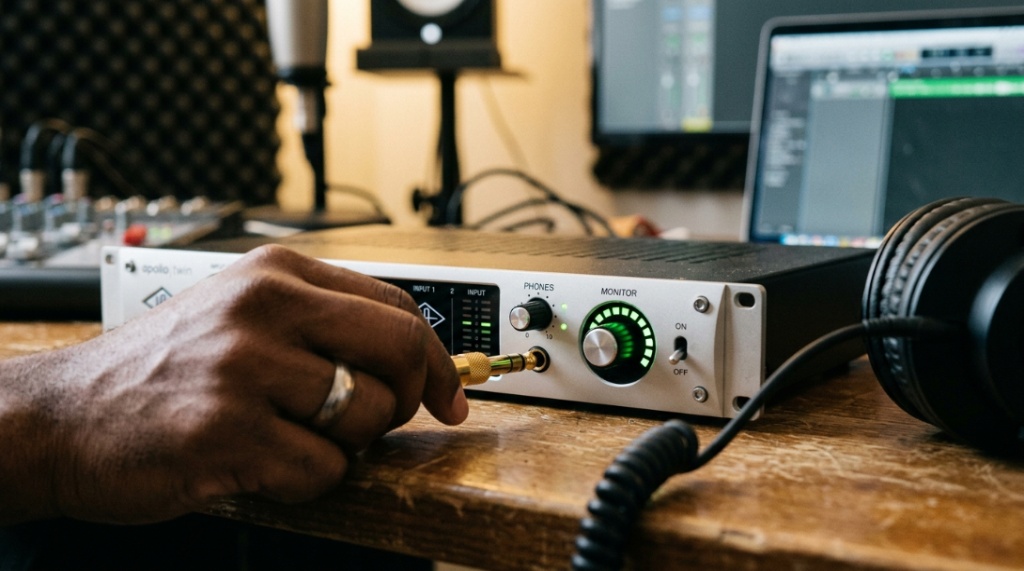
Your headphones need a proper source. The headphone output on a laptop is weak, noisy, and poorly amplified. A dedicated audio interface provides: clean amplification (driving high-impedance studio headphones properly), low-noise DAC conversion, and consistent monitoring levels. Budget picks: Focusrite Scarlett Solo ($120), PreSonus AudioBox ($100). Premium: Universal Audio Volt 2 ($190), Audient iD4 ($200).
Headphone Amplifier (Important for High-Impedance Models)
Studio headphones above 80 ohms impedance need more power than most interfaces provide. A dedicated headphone amp ensures full volume range and proper driver control. Without adequate power, bass becomes loose and dynamics compress. Budget: Schiit Magni ($100). Mid-range: JDS Labs Atom ($100). Premium: Lake People G103 ($250).
DAW Software (Essential)
Your digital audio workstation is where all work happens. Free options: Reaper (functionally free), GarageBand (Mac). Affordable: FL Studio ($100-200), Ableton Live Intro ($100). Professional: Logic Pro ($200), Ableton Live Suite ($750), Pro Tools ($30/month).
Reference Tracks (Free, Essential)
Professional mixes in your genre that you know sound excellent on every system. Import them into your DAW and A/B compare against your work regularly. This trains your ears to your headphones’ specific character and helps you compensate for any subtle colorations.
Room Treatment (When Adding Speakers Later)
When budget allows adding studio monitors, basic acoustic treatment transforms accuracy: bass traps in corners ($100-200), absorption panels at first reflection points ($80-150), and a treatment behind the listening position ($50-100). Total: $250-500 for meaningful improvement.
Building a dedicated acoustic space requires careful planning and the right tools to foster creativity. The same principle applies to corporate environments; just as audio gear optimizes a musician’s workflow, modern tech optimizes employee potential. To see how automated platforms are shifting corporate training, check out our insights on AI in HR Learning and Development: Revolutionizing Workplace Growth, which explores how smart tech scales talent within modern companies.
How Much Should You Budget for Home Studio Headphones?
Price tiers and what each delivers for production work:
$50-100 (Entry Studio): Functional flat response, acceptable comfort, basic build quality. Models like the Audio-Technica ATH-M20x, Samson SR850, and AKG K240 Studio live here. These work for learning and basic production but reveal limitations as your skills develop. Expect 1-3 years before wanting an upgrade.
$100-200 (Serious Home Studio): This is the sweet spot for home studio headphones. Models here offer genuinely flat response, excellent comfort for long sessions, professional build quality, and accuracy that supports release-quality mixing. Audio-Technica ATH-M50x ($150), Beyerdynamic DT 770/880/990 ($150-180), Sennheiser HD 560S ($150). These satisfy most producers indefinitely.
$200-400 (Professional Reference): Diminishing returns territory, but real improvements in resolution, imaging, and transient detail. Sennheiser HD 600/650 ($250-350), Beyerdynamic DT 1990 Pro ($400), AKG K712 Pro ($250). Justified for mixing/mastering engineers and producers who’ve outgrown mid-range models.
$400+ (Mastering/Critical Reference): Audeze LCD-X ($1,200), Focal Clear ($1,000), Sennheiser HD 800S ($1,600). Extreme resolution and accuracy for mastering engineers and professional studios. Not necessary for home production but revelatory for those who can justify the investment.
What’s the Ideal Home Studio Setup Progression?
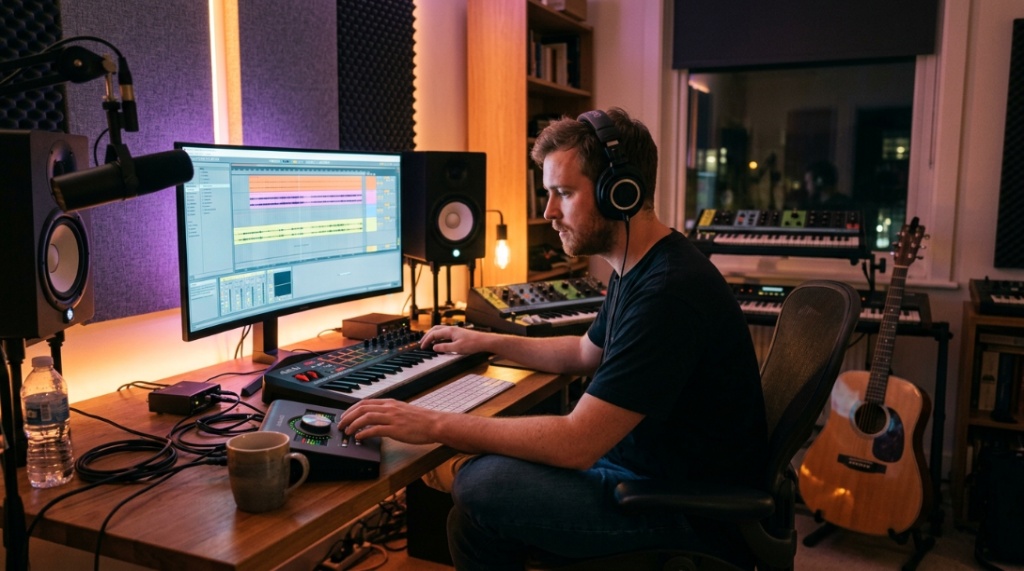
Build in this order for maximum impact at each budget stage:
Stage 1 ($200-350): Headphones + Interface
- Quality closed-back headphones ($100-180)
- Budget audio interface ($100-150)
- Free DAW (Reaper or GarageBand)
- This alone lets you record, mix, and produce music that sounds professional
Stage 2 ($350-600 additional): Add Recording Capability
- Condenser microphone ($100-250)
- Mic stand and pop filter ($30-50)
- Basic acoustic treatment for recording spot ($50-100)
- Open-back headphones for mixing ($150-250)
Stage 3 ($500-1000 additional): Add Speakers
- Entry studio monitors ($200-400/pair)
- Acoustic treatment panels ($200-400)
- Monitor stands/isolation pads ($50-100)
- Headphone amp if needed ($100-250)
For producers exploring high-quality headphone options to anchor their studio, this in-depth resource on top Sennheiser headphones for studio use covers models that work exceptionally well as a home studio’s primary monitoring reference.
How Do You Learn to Mix Accurately on Headphones?
Mixing on headphones requires slightly different techniques than speaker mixing. Master these and your headphone mixes will translate perfectly:
Reference constantly: A/B your mix against professional references every 10-15 minutes. This recalibrates your perception and prevents you from drifting into compensating for headphone colorations over long sessions.
Check mono compatibility: Headphones present hard left/right separation that speakers don’t. Always check your mix in mono to ensure center elements sum correctly and panned elements don’t phase-cancel.
Use crossfeed plugins: Software like Goodhertz CanOpener or ToneBoosters Isone simulates speaker crosstalk in headphones — making the experience more similar to speaker monitoring. This helps with panning decisions and stereo width judgment.
Take breaks every 45-60 minutes: Ear fatigue distorts perception faster on headphones than speakers (due to close-proximity drivers). Short breaks reset your hearing and prevent late-session decisions you’ll regret tomorrow.
Mix at moderate levels: Headphone mixing encourages low volume (since there’s no room noise to overcome). This is actually ideal — around 75-80 dB SPL gives the most balanced frequency perception according to equal-loudness contours. Resist cranking it up.
What Common Mistakes Do New Home Studio Builders Make with Headphones?
- Buying “studio” headphones by brand name alone: Not every model from a pro brand is flat. The Audio-Technica ATH-M50x is popular but has a deliberate V-shaped signature. Know the specific model’s frequency response.
- Using only one headphone for everything: Tracking and mixing have fundamentally different requirements. One headphone compromises both tasks unless you consciously accept the limitations.
- Ignoring impedance matching: 250-ohm headphones plugged into a laptop sound thin and quiet. Match your headphone impedance to your amplification source — or buy models specifically designed for low-power sources.
- Never checking on other systems: Headphones are your primary reference, not your only reference. Always check final mixes on car speakers, phone speakers, earbuds, and laptop speakers before releasing.
- Mixing at high volume constantly: Feels impressive, damages hearing over time, and actually reduces mix accuracy. The Fletcher-Munson curve shows we hear bass and treble differently at high volumes — leading to thin, quiet mixes.
- Skipping the learning curve: Every headphone has a character. Spend 2-4 weeks listening to professional mixes you know well before making critical mix decisions. Learn what “correct” sounds like on your specific headphones.
FAQ
Can I mix professionally using only headphones without studio monitors?
Yes — many professional producers and mixing engineers work primarily on headphones, especially in the home studio era. The key requirements: genuinely flat studio headphones, crossfeed software to simulate speaker behavior, regular reference checking against professional mixes, and verifying on multiple playback systems before final delivery. Headphone mixing is a legitimate approach, not a compromise.
What impedance should home studio headphones be for use with an audio interface?
32-80 ohms works well with any audio interface headphone output without additional amplification. 250 ohms requires a quality interface with a strong headphone amp (Audient, Universal Audio, RME) or a dedicated headphone amplifier. 600 ohms absolutely requires dedicated amplification. For simplicity in a home studio, 80 ohms is the sweet spot.
Should I buy one expensive pair or two cheaper pairs of studio headphones?
Two different pairs (one closed, one open) at $150 each serves a home studio better than one pair at $300. Different perspectives reveal different problems — what one headphone flatters, the other exposes. Budget permitting, the two-headphone approach produces better final results than any single “perfect” pair.
How long do professional home studio headphones last?
5-10+ years for the headphone unit itself. Ear pads need replacement every 12-18 months ($20-50). Cables may need replacement every 2-4 years if detachable ($15-30). Drivers rarely fail. Premium brands (Sennheiser, Beyerdynamic, AKG) offer replacement parts for 10+ years after purchase, making repairs easy and extending lifespan indefinitely.
Do I need a headphone amp if I have an audio interface?
For headphones under 80 ohms — no, your interface handles them fine. For 250-ohm models, check your interface’s headphone output spec. If it delivers at least 100mW into 250 ohms, you’re adequate. If not (or if you notice reduced volume/thin bass), a $100 headphone amp solves the issue immediately and improves all headphone performance.
What’s more important for mixing accuracy — headphone price or room treatment?
If choosing between $300 headphones in an untreated room versus $100 headphones plus $200 of room treatment (with monitors), the headphones win for most home studios. Room treatment only helps if you also have studio monitors — it does nothing for headphone monitoring. Invest in headphones first; add treatment when you’re ready for speakers.
Can I use the same headphones for music production and gaming/entertainment?
Technically yes, but flat studio headphones sound less “exciting” for casual listening and gaming compared to consumer headphones with boosted bass and treble. Many producers keep their studio headphones exclusively for work (preserving the mental association with critical listening) and use separate consumer headphones for entertainment.
Sorry, the comment form is closed at this time.