

Gamer Community Building Strategies
In the modern world of gaming, victory is no longer just about defeating the final boss or topping the leaderboard. It’s about the friends made, the rivalries forged, and the shared experiences that transform a solitary hobby into a vibrant, collective adventure. Building a community is the ultimate multiplayer quest, and at the heart of this endeavor lies a well-managed digital space. For many, a dedicated server is the foundation of a great community, and insights from experts like Seller Spike show that a strategic approach can turn a simple chat room into a thriving ecosystem.
The goal is to create a digital clubhouse—a place where players return long after the game is closed. While many platforms exist, Discord has firmly established itself as the premier hub for gaming communities. Its blend of text, voice, and video channels, combined with powerful customization options, makes it the perfect tool for the job. However, simply creating a server is not enough. The real challenge, and the key to success, is learning how to market a game discord server effectively. This process is what draws in your initial members and sets the stage for organic, long-term growth.
This guide will walk you through the essential strategies for building and nurturing a gaming community from the ground up. We will cover everything from initial server setup and promotional tactics to member retention and engagement, ensuring you have the tools to create a space that gamers are excited to call their own.
Laying the Groundwork: Preparing Your Server for Members
Before you send out a single invitation, your server needs to be a welcoming and functional space. A poorly planned server can deter new members before they even have a chance to say hello. Think of this as building the house before you host the party.
Define Your Purpose and Niche
First, determine the core identity of your community. Will it be dedicated to a single game like Valorant or a broader genre like indie RPGs? Is the vibe casual and friendly, or is it a training ground for competitive players? A clear identity helps attract the right kind of members who are more likely to stay and contribute. This niche will guide your channel setup, your rules, and your entire marketing message.
Create an Intuitive Channel Structure
Organize your server with clear and logical channels. An overwhelming list of empty channels can be confusing. Start with the basics and expand as needed. A solid starting structure includes:
- Welcome & Rules: The first stop for every new member.
- Announcements: A read-only channel for important updates from you and your moderators.
- General Chat: A place for everyday conversation.
- Looking for Group (LFG): Channels for players to find teammates.
- Off-Topic/Memes: A space for non-gaming-related fun.
- Voice Channels: Several voice channels for squads of different sizes.
Establish Clear Rules and Moderation
A safe and non-toxic environment is non-negotiable. Draft a clear set of rules that cover behavior, spam, and content restrictions. More importantly, have a plan for enforcing them. Appoint trustworthy moderators as your community grows to help maintain a positive atmosphere. Your server’s culture starts with the standards you set from day one.
Spreading the Word: Proven Marketing Tactics
With your server primed and ready, it’s time to attract members. Effective marketing is a multi-pronged approach that combines outreach with valuable content.
Leverage Social Media
Your target audience is already active on social media. Find them where they are. Create short, engaging video clips of exciting gameplay moments for TikTok, Instagram Reels, and YouTube Shorts. Share server news, event schedules, and engaging questions on Twitter. Use visually appealing graphics on Instagram to announce tournaments or community milestones. The key is to provide value, not just to spam your server link.
Engage in Relevant Online Spaces
Become an active and helpful member of communities related to your game. This includes subreddits, Facebook groups, and official game forums. Answer questions, participate in discussions, and share your expertise. When appropriate and allowed by the community’s rules, you can mention your Discord server as a resource for like-minded players. Avoid aggressive self-promotion; instead, focus on building a reputation as a valuable community member.
Collaborate with Content Creators
Partnering with streamers and YouTubers can provide a massive influx of new members. Look for creators whose audience and vibe align with your community’s niche. You don’t need to target the biggest names right away. Micro-influencers often have highly engaged communities and may be more open to collaboration. You could offer them a dedicated channel in your server or co-host an event in exchange for a shout-out.
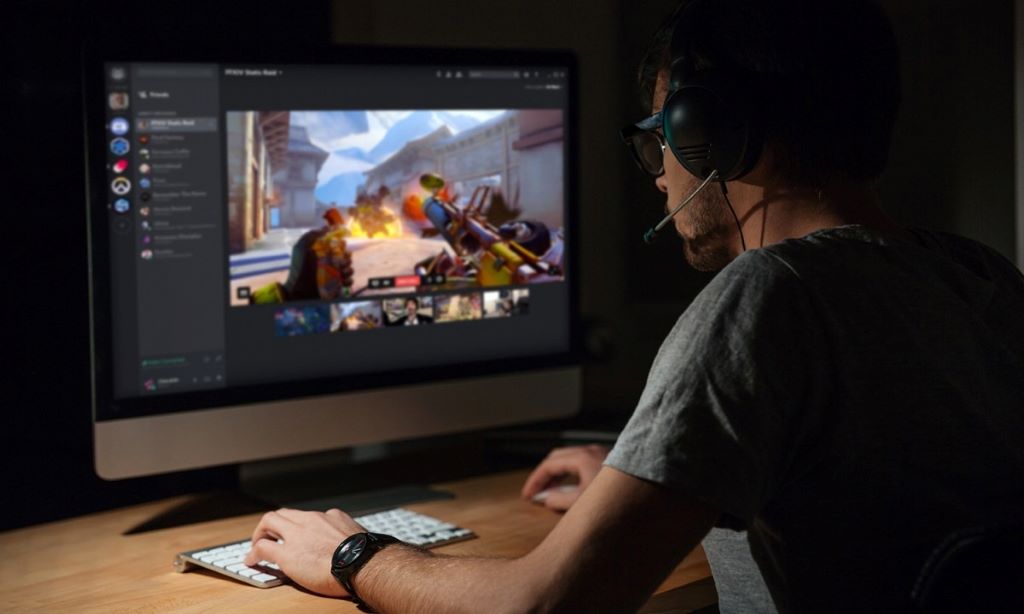
Utilize Server Listing Websites
There are numerous websites dedicated to helping users discover new Discord servers. Listing your community on platforms like Disboard, Top.gg, and Discord.me makes it searchable for users actively looking for a new home. Be sure to write a compelling description, use relevant tags, and create an attractive banner to make your server stand out from the crowd.
Fostering Engagement: Keeping Your Community Active
Getting members to join is only half the battle. The true measure of a successful community is its ability to retain them. An active and engaged server creates a positive feedback loop, encouraging members to stay and invite their friends.
Host Regular and Varied Events
Events are the lifeblood of a gaming community. They give members a reason to log in and interact. Plan a consistent schedule of activities that appeal to different interests. Ideas include:
- Game Nights: Focus on your community’s main game.
- Tournaments: Add a competitive edge with small prizes.
- Casual Play Sessions: For members who just want to relax and have fun.
- Movie Nights or Watch Parties: A great way to bond outside of gaming.
- Skill Workshops: Have experienced players teach newcomers.
Empower Your Members
Make your community members feel valued and heard. Actively solicit feedback on server changes and event ideas. Create opportunities for them to take on leadership roles, such as event organizers or mentors for new players. When members feel a sense of ownership, they become more invested in the community’s success. Additionally, celebrating member achievements, whether it’s a high rank in a game or a creative contribution to the server, fosters a supportive atmosphere.
Maintain an Active Leadership Presence
As the community leader, your presence is crucial. Be visible in chat, participate in events, and engage with members directly. A leader who is present and approachable makes the community feel more personal and less like a corporate forum. Your enthusiasm is contagious and will set the tone for the entire server.
Conclusion
Building a thriving gamer community is a marathon, not a sprint. It begins with a well-structured server that serves a specific niche. From there, growth is driven by smart, multi-channel marketing focused on providing value and engaging with players in their natural habitats. However, the most critical element is retention. By hosting regular events, fostering a positive and inclusive culture, and empowering your members, you can transform a simple Discord server into a vibrant and enduring community. Therefore, by focusing on these core strategies, you can create a digital space where friendships are forged and shared gaming memories last a lifetime.
Frequently Asked Questions (FAQs)
-
How long does it take to grow a successful game Discord server?
There is no set timeline. Growth depends on your niche, marketing efforts, and consistency. A server can gain its first 100 members in a few weeks with focused effort, but building a large, truly engaged community of thousands can take many months or even years.
-
What are the most essential bots for a new gaming server?
For a new server, start with a moderation bot like MEE6 or Dyno to automate rules enforcement and welcome messages. A music bot like Rythm or Groovy is also popular for voice channels. As you grow, you can add bots for specific functions like creating temporary voice channels or managing roles.
-
Is it better for a server to focus on one game or multiple games?
Focusing on a single game allows you to build a highly dedicated, expert community. However, it can be risky if the game’s popularity wanes. A multi-game or genre-based server has broader appeal but can sometimes feel less focused. For new servers, starting with a single, popular game is often the most effective strategy.
-
How do I find good moderators for my server?
The best moderators are often your most active, helpful, and positive community members. Look for individuals who naturally guide conversations, welcome new members, and understand the server’s rules and culture. Start by giving them a trial role and see how they perform before granting full moderator permissions.
-
Can I monetize my game’s Discord server?
Yes, but it should be approached carefully. You can offer special perks or exclusive channels to members who support the server through platforms like Patreon. Some servers also run paid tournaments. However, always prioritize community experience over profit to avoid alienating your members.
Related Topics:
DIY One Piece vs Naruto Board Game Rules and Printables
How to Fix Smart Lights Not Responding to Google Home: Ultimate Troubleshooting Guide
Sorry, the comment form is closed at this time.