
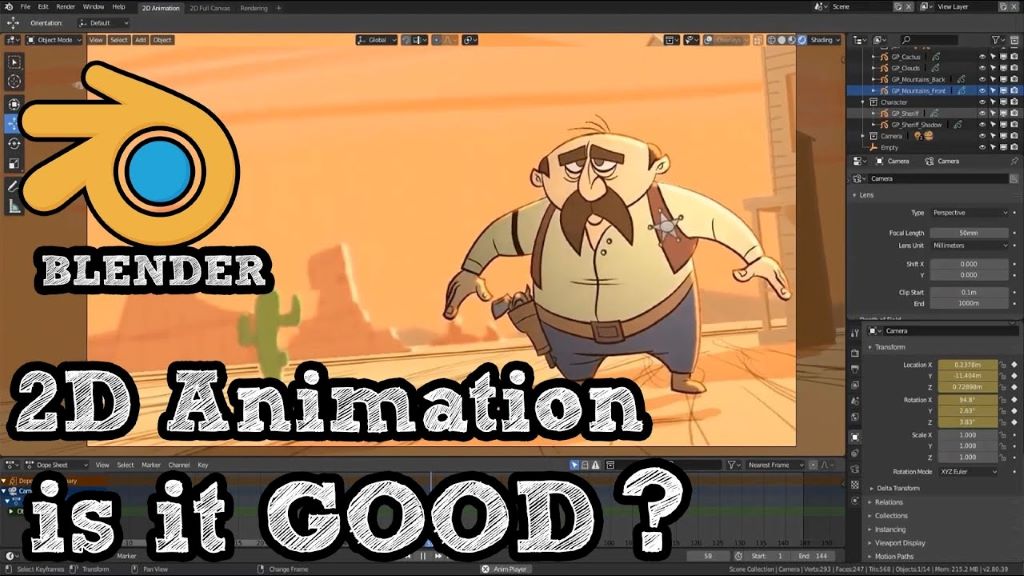
Unveiling Blender’s 2D Animation Prowess: Beyond the Third Dimension
Blender, the open-source 3D creation suite, has long been revered for its robust modeling, rendering, and animation capabilities. However, a question often lingers in the minds of aspiring animators: Does Blender support 2D animation? The answer, resoundingly, is yes. While its reputation precedes it in the 3D realm, Blender has evolved into a powerful and versatile tool for creating captivating 2D animations, thanks to its dedicated “Grease Pencil” feature. This article delves into the depths of Blender’s 2D animation capabilities, exploring its functionalities, workflows, and the burgeoning community that’s pushing the boundaries of 2D animation within this dynamic software.
The Rise of Grease Pencil: Bridging the 2D-3D Divide
Blender’s Grease Pencil is the cornerstone of its 2D animation capabilities. Initially conceived as a simple annotation tool for 3D workflows, it has blossomed into a full-fledged 2D drawing and animation system. This evolution is a testament to the open-source community’s dedication and the developers’ vision to create a unified platform for artists of all disciplines. Unlike traditional 2D animation software, Grease Pencil operates within Blender’s 3D environment, offering a unique blend of 2D and 3D workflows. This integration allows artists to seamlessly incorporate 2D elements into 3D scenes, create hybrid animations, and explore innovative storytelling techniques.
Understanding the Grease Pencil Workflow: From Strokes to Animation
The Grease Pencil workflow revolves around creating and manipulating strokes, which are essentially 2D vector drawings within the 3D space. Artists can draw directly onto the viewport using a variety of brushes, pencils, and pens, customizing stroke properties like thickness, color, and texture. This flexibility enables the creation of diverse art styles, from clean vector lines to expressive painterly strokes. Furthermore, Grease Pencil supports layers, allowing for organized drawing and animation workflows, similar to traditional 2D animation programs.
The animation aspect of Grease Pencil is equally robust. Keyframing, interpolation, and modifiers are all available to bring drawings to life. Artists can animate individual strokes, layers, or entire objects, creating dynamic and engaging sequences. Additionally, Grease Pencil supports various animation techniques, including frame-by-frame animation, cut-out animation, and motion graphics. The integration of Blender’s powerful animation tools, like the Graph Editor and Dope Sheet, provides precise control over timing and motion, enabling the creation of complex and nuanced animations.
Beyond Basic Animation: Advanced Features and Techniques
Blender’s Grease Pencil extends beyond basic drawing and animation, offering a range of advanced features that empower artists to push the boundaries of 2D animation. The “Fill” tool, for instance, allows for quick and efficient coloring of enclosed areas, streamlining the workflow. The “Modifiers” system, borrowed from Blender’s 3D capabilities, offers a variety of effects that can be applied to strokes, including noise, subdivision, and solidify. These modifiers enable the creation of stylized effects and complex animations with minimal effort.
Furthermore, Grease Pencil supports the use of armatures for rigging and animating characters. This allows for the creation of articulated animations with smooth and natural movements. The integration of Blender’s 3D compositing tools also allows for the creation of stunning visual effects and post-processing, enhancing the overall quality of the animation.

The Community and Resources: Learning and Growing Together
The Blender community is a vibrant and supportive ecosystem, providing a wealth of resources for aspiring 2D animators. Numerous tutorials, online courses, and community forums are available, offering guidance and support for beginners and experienced artists alike. The Blender Foundation also actively promotes 2D animation through workshops, demonstrations, and open-source projects. The “Sprite Fright” short film, created entirely with Blender’s Grease Pencil, is a testament to the software’s capabilities and the community’s talent.
This burgeoning community also contributes significantly to the development of add-ons and tools that enhance Blender’s 2D animation capabilities. These add-ons provide specialized features, such as advanced brush management, animation presets, and workflow optimizations, further streamlining the animation process. The open-source nature of Blender allows for continuous improvement and innovation, ensuring that Grease Pencil remains a cutting-edge tool for 2D animation.
The Advantages of Blender for 2D Animation: A Unique Perspective
Choosing Blender for 2D animation offers several distinct advantages. The integration of 2D and 3D workflows allows for seamless transitions between different animation styles and techniques. The ability to incorporate 3D elements into 2D animations opens up new creative possibilities, enabling the creation of hybrid animations that blend the best of both worlds. Furthermore, Blender’s open-source nature means that it is constantly evolving and improving, with new features and tools being added regularly.
Blender’s versatility extends beyond animation, offering a comprehensive suite of tools for modeling, rendering, and compositing. This allows artists to create entire projects within a single software, streamlining the workflow and reducing the need for multiple applications. The cross-platform compatibility of Blender ensures that it can be used on a variety of operating systems, making it accessible to a wide range of users.
People Also Ask (FAQs):
-
Can Blender replace dedicated 2D animation software?
- While Blender’s Grease Pencil offers a comprehensive set of 2D animation tools, the choice between Blender and dedicated 2D software depends on individual needs and preferences. Blender excels in its 2D/3D integration and versatility, while dedicated 2D software may offer specialized features for specific workflows.
-
Is Blender’s Grease Pencil difficult to learn?
- Like any powerful software, Blender has a learning curve. However, the abundance of online resources and the supportive community make it accessible to beginners. With practice and dedication, artists can quickly master the fundamentals of Grease Pencil.
-
What are the system requirements for using Grease Pencil?
- Blender’s system requirements are generally modest, making it accessible to a wide range of computers. However, for complex animations and high-resolution drawings, a more powerful system is recommended.
-
Can I export my 2D animations from Blender?
- Yes, Blender supports various export formats, including video files (MP4, AVI), image sequences (PNG, JPEG), and vector graphics (SVG). This allows for easy sharing and distribution of animations.
-
Is Blender free to use for commercial projects?
- Yes, Blender is open-source and free to use for both personal and commercial projects. This makes it an attractive option for independent artists and studios alike.
Conclusion: A Powerful and Evolving 2D Animation Tool
Blender’s Grease Pencil has emerged as a powerful and versatile tool for 2D animation, offering a unique blend of 2D and 3D workflows. Its robust feature set, coupled with the vibrant Blender community, has empowered artists to create stunning animations that push the boundaries of creativity. The continuous development of Grease Pencil ensures that it remains a cutting-edge tool for 2D animation, offering a compelling alternative to traditional 2D animation software. Whether you’re an aspiring animator or a seasoned professional, Blender’s Grease Pencil provides a dynamic and innovative platform for bringing your 2D visions to life. The integration within a complete 3D suite makes it a tool that enables the creation of styles that are simply not possible within other 2D animation software. The future of 2D animation within Blender looks bright, promising further innovation and artistic exploration.
Sorry, the comment form is closed at this time.