

How Headless WordPress is Reshaping Modern Web Development
Imagine building a website that’s lightning-fast, endlessly flexible, and perfectly tailored to your audience’s needs—without being tied to a single platform or design limitation. This is the promise of headless WordPress, a revolutionary approach that’s transforming how developers and businesses create digital experiences. As the demand for dynamic, omnichannel content grows, headless WordPress is redefining modern web development by decoupling the front end from the back end, offering unmatched flexibility and performance. In this article, we’ll explore what headless WordPress is, why it’s gaining traction, and how it’s reshaping the web development landscape.
What is Headless WordPress?
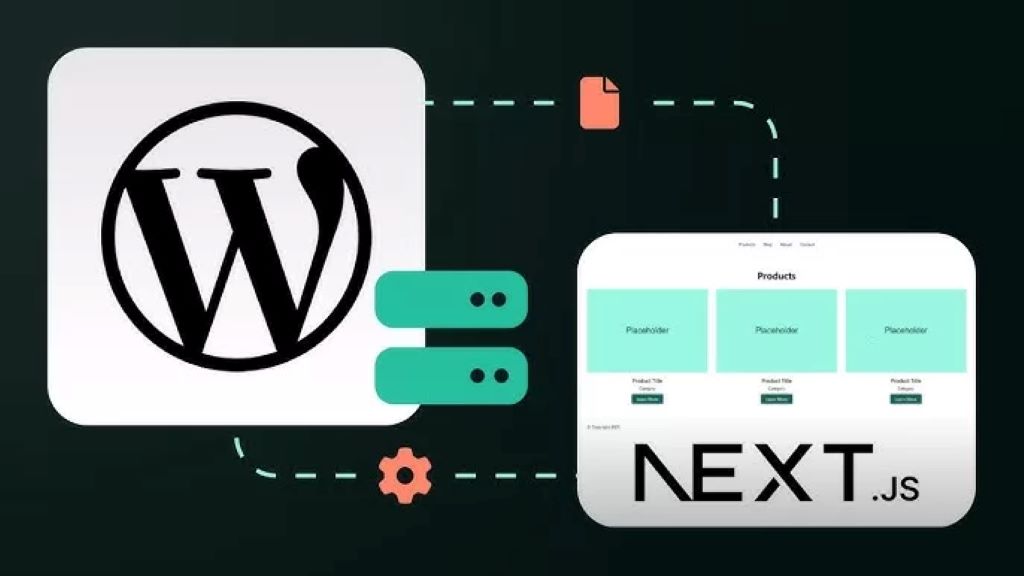
Headless WordPress refers to a setup where the WordPress content management system (CMS) serves as the back end for content storage and management, while the front end—the part users see—is built using a separate technology stack, such as React, Vue.js, or Next.js. Unlike traditional WordPress, where the CMS handles both content and presentation through themes and templates, headless WordPress uses APIs (typically the WordPress REST API or GraphQL) to deliver content to any front-end framework or device.
This decoupling allows developers to create highly customized user interfaces while leveraging WordPress’s robust content management capabilities. The result? Websites, mobile apps, or even IoT devices that pull content from WordPress without being constrained by its default templating system.
Why Go Headless?
The shift to headless WordPress is driven by the need for speed, scalability, and flexibility in today’s digital landscape. Here are some key reasons why developers and businesses are embracing this approach:
- Enhanced Performance: By using modern JavaScript frameworks for the front end, headless WordPress sites can achieve faster load times and smoother interactions, critical for user experience and SEO.
- Omnichannel Content Delivery: Headless WordPress allows content to be served to multiple platforms—web, mobile apps, smartwatches, or even voice assistants—through a single back end.
- Developer Freedom: Developers can use their preferred tools and frameworks, enabling innovative designs and functionality without WordPress’s traditional constraints.
- Improved Security: With the front end detached, sensitive back-end processes are less exposed, reducing the risk of certain types of attacks.
The Evolution of Web Development and the Role of Headless WordPress
Web development has come a long way from static HTML pages to dynamic, content-driven platforms. Traditional WordPress has long been a favorite for its ease of use, vast plugin ecosystem, and beginner-friendly interface. However, as user expectations evolve—demanding faster load times, personalized experiences, and seamless cross-platform functionality—traditional WordPress can sometimes fall short.
Enter headless WordPress, which bridges the gap between WordPress’s user-friendly CMS and the demands of modern web development. By separating content from presentation, developers can create bespoke front-end experiences while editors continue to use WordPress’s familiar dashboard for content management. This hybrid approach is particularly appealing for businesses that want to retain WordPress’s strengths while embracing cutting-edge technologies.
Key Benefits of Headless WordPress
- Flexibility in Front-End Development
With headless WordPress, developers aren’t limited to PHP-based themes or rigid templates. They can use modern frameworks like React, Angular, or Gatsby to craft pixel-perfect, dynamic user interfaces. This flexibility is ideal for creating unique designs or integrating with emerging technologies like progressive web apps (PWAs). - Scalability for High-Traffic Sites
Headless WordPress sites can leverage static site generation (SSG) or server-side rendering (SSR) to handle high traffic volumes efficiently. By serving pre-rendered pages or caching content, these sites can scale seamlessly without overloading the server. - Future-Proof Architecture
The decoupled nature of headless WordPress makes it easier to adapt to new devices or platforms. Whether it’s a smart TV, a wearable device, or a new social media platform, content stored in WordPress can be delivered anywhere via APIs. - Streamlined Content Management
Content editors can continue using WordPress’s intuitive interface, while developers work on the front end independently. This separation of concerns improves workflow efficiency and reduces bottlenecks. - SEO Advantages
Headless WordPress, when paired with frameworks like Next.js, supports server-side rendering and static site generation, which are highly favorable for search engine optimization. Fast-loading pages and clean codebases help improve rankings and user engagement.
Challenges of Headless WordPress
While headless WordPress offers significant advantages, it’s not without challenges. Developers and businesses considering this approach should be aware of the following:
- Increased Complexity: Setting up a headless WordPress site requires expertise in both WordPress and front-end frameworks, which can increase development time and costs.
- Loss of Some WordPress Features: Plugins that rely on WordPress’s front-end rendering, such as certain page builders, may not work seamlessly in a headless setup.
- Hosting and Maintenance: Headless sites often require separate hosting for the front end and back end, which can complicate deployment and increase costs.
- Learning Curve for Teams: Non-technical team members may need training to understand the new workflow, especially if custom APIs or front-end tools are involved.
How to Implement Headless WordPress
Ready to dive into headless WordPress? Here’s a step-by-step guide to get started:
- Set Up WordPress as the Back End
Install WordPress on a server and configure it to serve content via the REST API or GraphQL (using plugins like WPGraphQL). Ensure your content is structured for API consumption, with clear taxonomies and custom post types if needed. - Choose a Front-End Framework
Select a framework that aligns with your project goals. Popular choices include:- React/Next.js: Ideal for dynamic, SEO-friendly sites with server-side rendering.
- Vue.js/Nuxt.js: Great for lightweight, fast applications.
- Gatsby: Perfect for static sites with excellent performance.
- Connect the Front End to WordPress
Use APIs to fetch content from WordPress. For example, a React app can make HTTP requests to the WordPress REST API to retrieve posts, pages, or custom data. - Optimize for Performance and SEO
Implement static site generation or server-side rendering to boost performance. Use tools like Yoast SEO or Rank Math to optimize content within WordPress, and ensure the front end follows SEO best practices, such as proper meta tags and structured data. - Test and Deploy
Test your headless setup across devices to ensure compatibility and performance. Deploy the front end to a service like Vercel or Netlify, while hosting the WordPress back end on a reliable provider like WP Engine or Kinsta.
Real-World Use Cases
Headless WordPress is already powering innovative projects across industries. Here are a few examples:
- E-Commerce Platforms: Retailers use headless WordPress with frameworks like Next.js to create fast, shoppable websites that integrate with platforms like Shopify or WooCommerce.
- Media and Publishing: News outlets leverage headless WordPress to deliver content to web, mobile apps, and newsletters, ensuring consistent branding across channels.
- Enterprise Solutions: Large organizations use headless WordPress to manage complex content ecosystems, delivering personalized experiences to diverse audiences.
Read Also:
Building Your Brand and Engaging Customers Using Advanced Internet Technologies
Cost-Effective PPC Strategies for Startups: How to Maximize ROI with Limited Budgets in 2025
The Future of Headless WordPress
As web development continues to evolve, headless WordPress is poised to play a central role. The rise of Jamstack (JavaScript, APIs, and Markup) architecture, coupled with increasing demand for omnichannel experiences, makes headless WordPress a natural fit for forward-thinking businesses. Additionally, advancements in WordPress’s API capabilities and the growing adoption of GraphQL are making it easier to build scalable, high-performance applications.
The trend toward headless CMS is also driven by the need for agility. Businesses can update their front-end designs or adopt new technologies without overhauling their content management system. This adaptability ensures that headless WordPress remains relevant in an ever-changing digital landscape.
Tips for Success with Headless WordPress
- Invest in Developer Training: Ensure your team is proficient in both WordPress and the chosen front-end framework.
- Prioritize Performance: Use tools like Lighthouse to audit and optimize your site’s speed and accessibility.
- Leverage Caching: Implement caching strategies to reduce API calls and improve load times.
- Stay Updated: Keep your WordPress core, plugins, and front-end dependencies up to date to avoid security vulnerabilities.
Conclusion
Headless WordPress is more than a trend—it’s a paradigm shift that empowers developers and businesses to create faster, more flexible, and future-proof digital experiences. By decoupling content from presentation, headless WordPress combines the best of both worlds: WordPress’s robust CMS capabilities and the limitless potential of modern front-end frameworks. Whether you’re building a high-traffic e-commerce site, a dynamic media platform, or a custom app, headless WordPress offers the tools to bring your vision to life.
Ready to explore headless WordPress for your next project? Start by experimenting with a small site or consult with a developer to see how this approach can elevate your digital presence.
Sorry, the comment form is closed at this time.